Web App
CAR WASH MOBILE
2024
A field-service platform for a mobile car wash company — a scheduling board, per-vehicle work records, and a portal where clients see their own jobs.
Runs the daily work of 12 technicians
“The app & the website you created for us was so great & worth it.”Shabbir Nuhuman★★★★★Read review.webp&w=3840&q=75)
01
The Mobile Wash web platform
Car Wash Mobile is the web platform for Mobile Wash, a French company that washes vehicle fleets on site. Trucks, coaches, vans and utility vehicles are washed at the client's own depot. Instead of the vehicle coming to the wash, a technician goes to the vehicle.
- Live website
- mobile-wash.fr is the production website. Operational screens require an authorized account.
- Interactive web demo
- The supplied application demo presents the web workflows with fictional records and demo-role access. It is separate from the live company system.
- Companion iOS app
- Mobile Wash Technicians is the separate, privately distributed iPhone application for staff in the field.
The platform answers the two questions the business asks all day:
- Who is washing what, and where?
- What exactly was done, and can we prove it?
Three kinds of people use it:
- Office staff plan jobs and dispatch technicians
- Technicians carry out the work and record it vehicle by vehicle
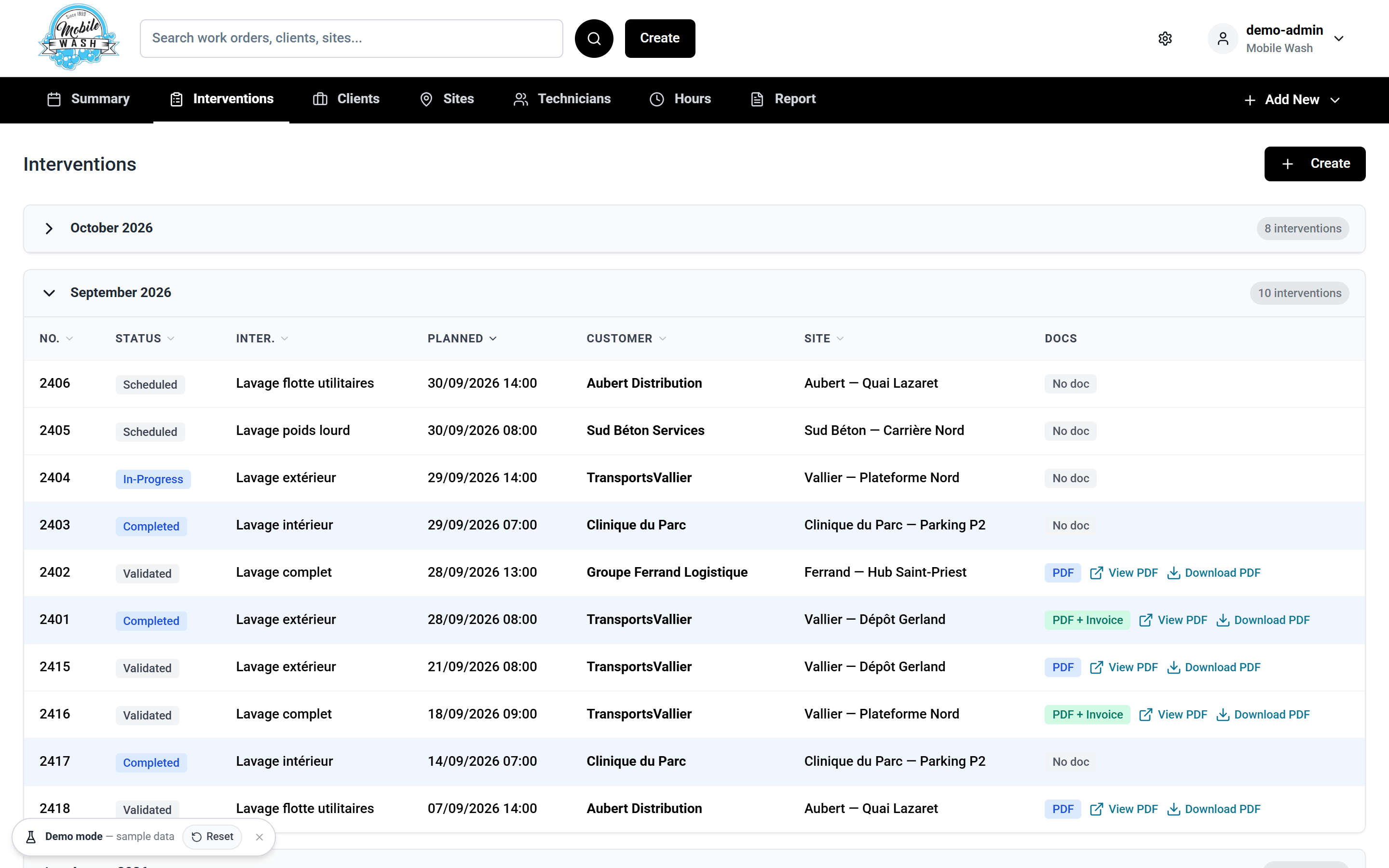
- Clients log in to see their own jobs and download reports
Live demo
Try it yourself
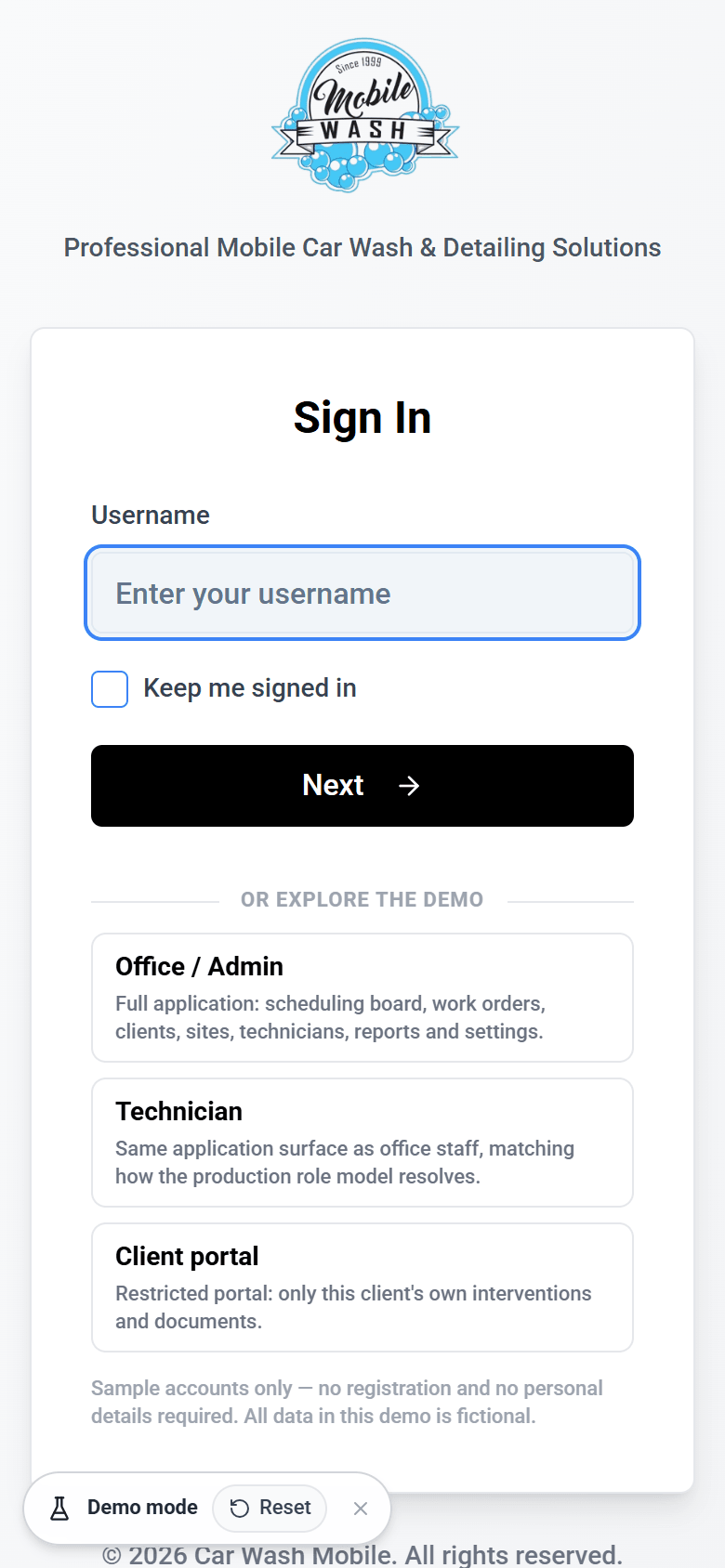
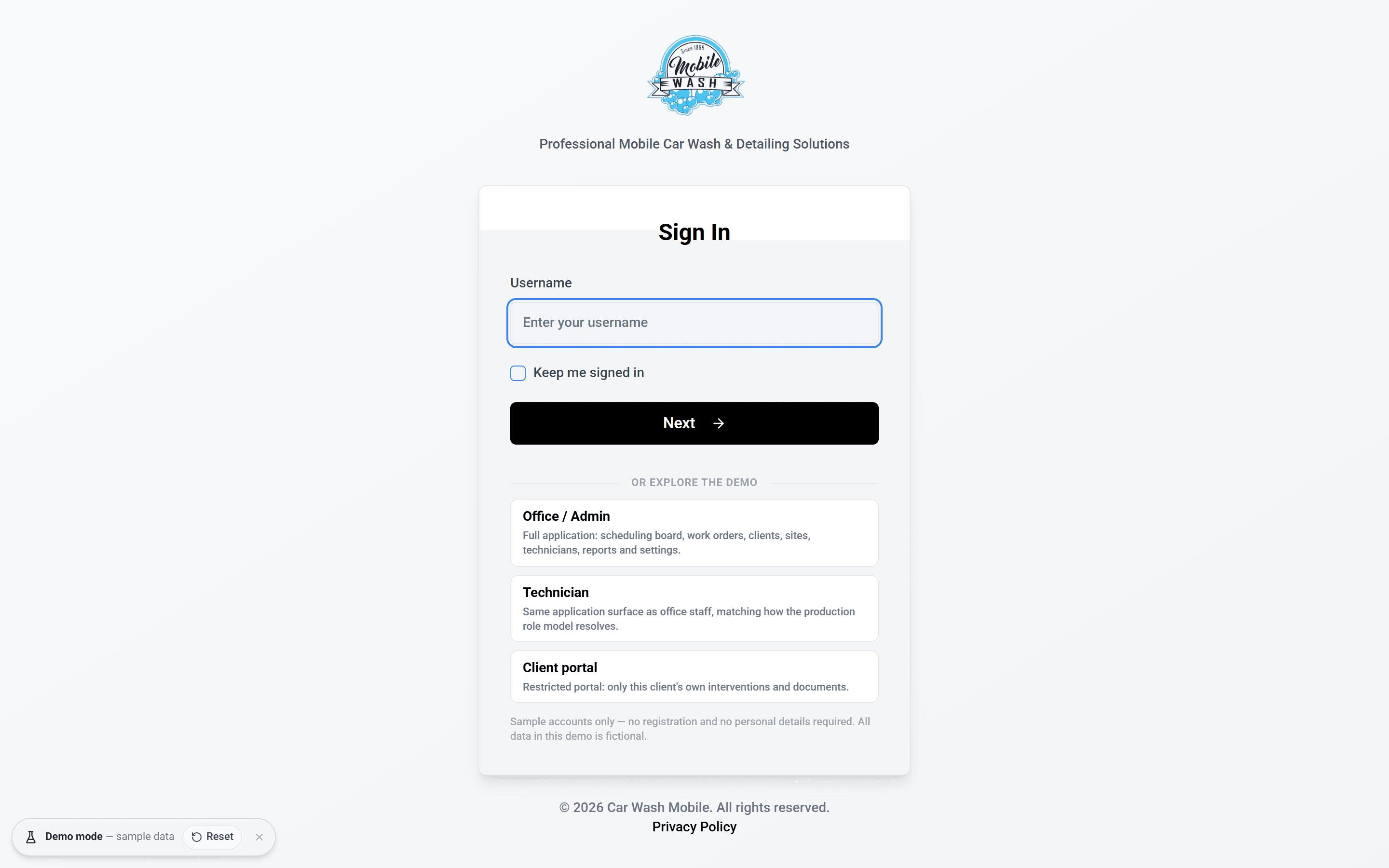
Explore the supplied web application using fictional data. Office / Admin and Technician open the shared operational interface; Client portal shows that sample client's records. Demo changes do not update mobile-wash.fr, and real sign-in, email and file services are not connected.
Swipe to see more →
02
The Problem
Mobile washing spreads one company's work across many sites, vehicles and people, which makes it hard to keep track of:
- Planning: jobs for several technicians at several client sites have to be scheduled and moved around all the time, and everyone needs to know who is where.
- Proof of work: each vehicle needs its own record of what was cleaned, with photos and a signature the client can trust.
- Client questions: customers want to know what has been done and get their reports without phoning the office.
- Away from a desk: much of the work happens on a phone at a depot, not on a laptop in the office.
The goal was one system where a job is planned, carried out, recorded and reported on, all from the same data.
The planning board
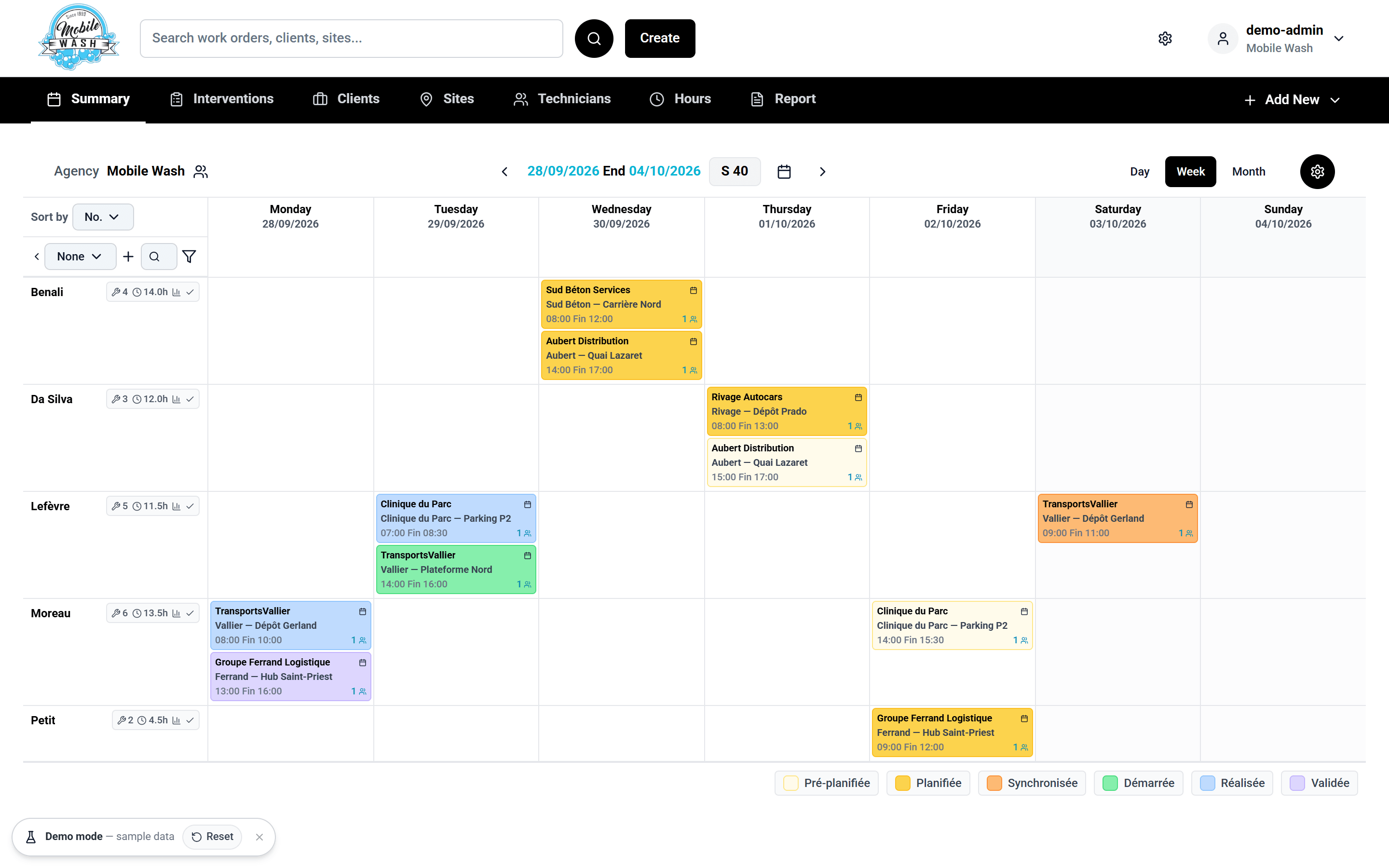
Technicians run down the side and days run across the top. Every job is a card, and its colour shows its status: pre-planned, planned, synced, started, completed or validated. Switch between day, week and month, or drag a job to another day or technician to reschedule it.
Swipe to see more →
03
The Solution
A. One planning board
The whole team's week on one screen. Moving a job is a drag and drop, and the change is saved straight away.
B. A record for every vehicle
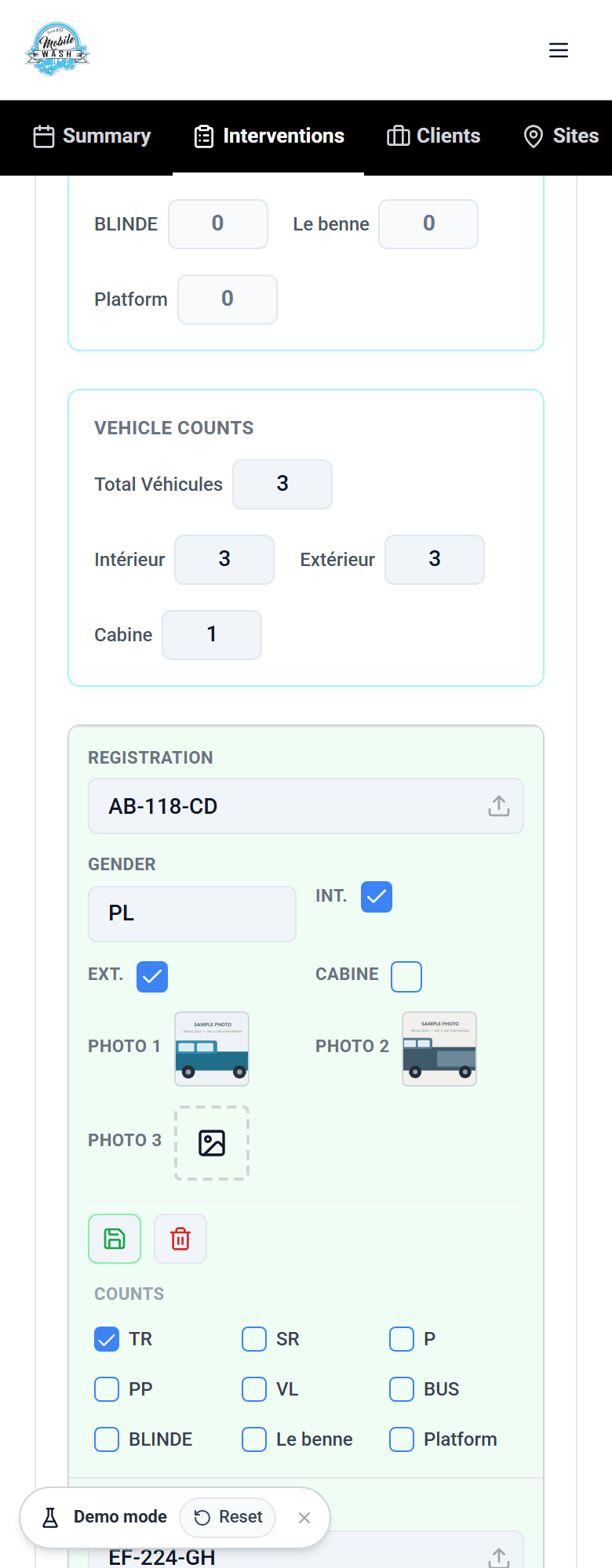
Each job logs every vehicle on its own: registration, vehicle class, whether the interior, exterior and cabin were washed, up to three photos, and nine service categories to tick. The totals at the top add themselves up from those ticks.
C. Paperwork from the same data
The job page also shows what the technician's mobile app sent back, including the customer's signature. The intervention report is generated as a PDF from that record, so it always matches what was entered.
Swipe to see more →
04
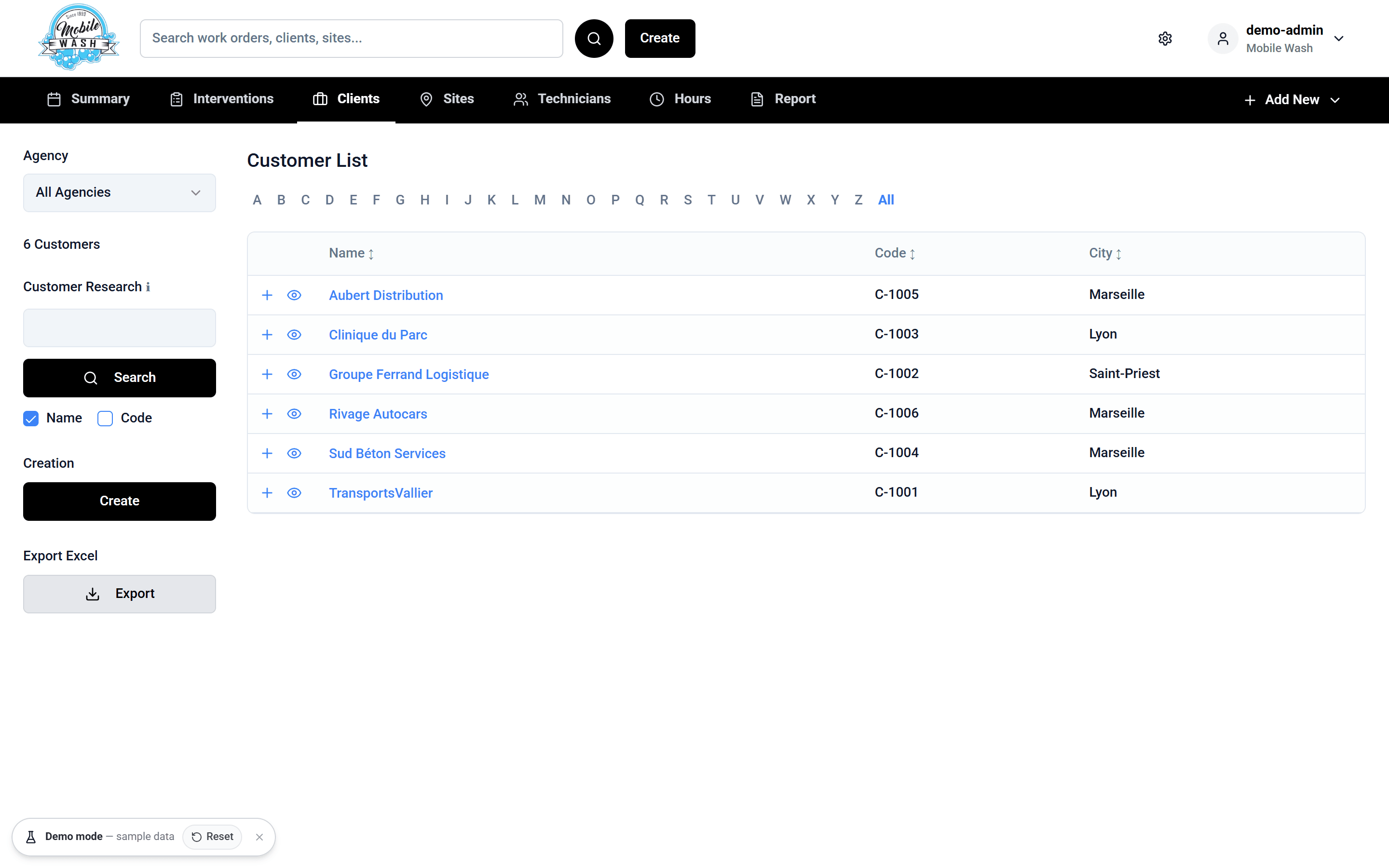
The Client Portal
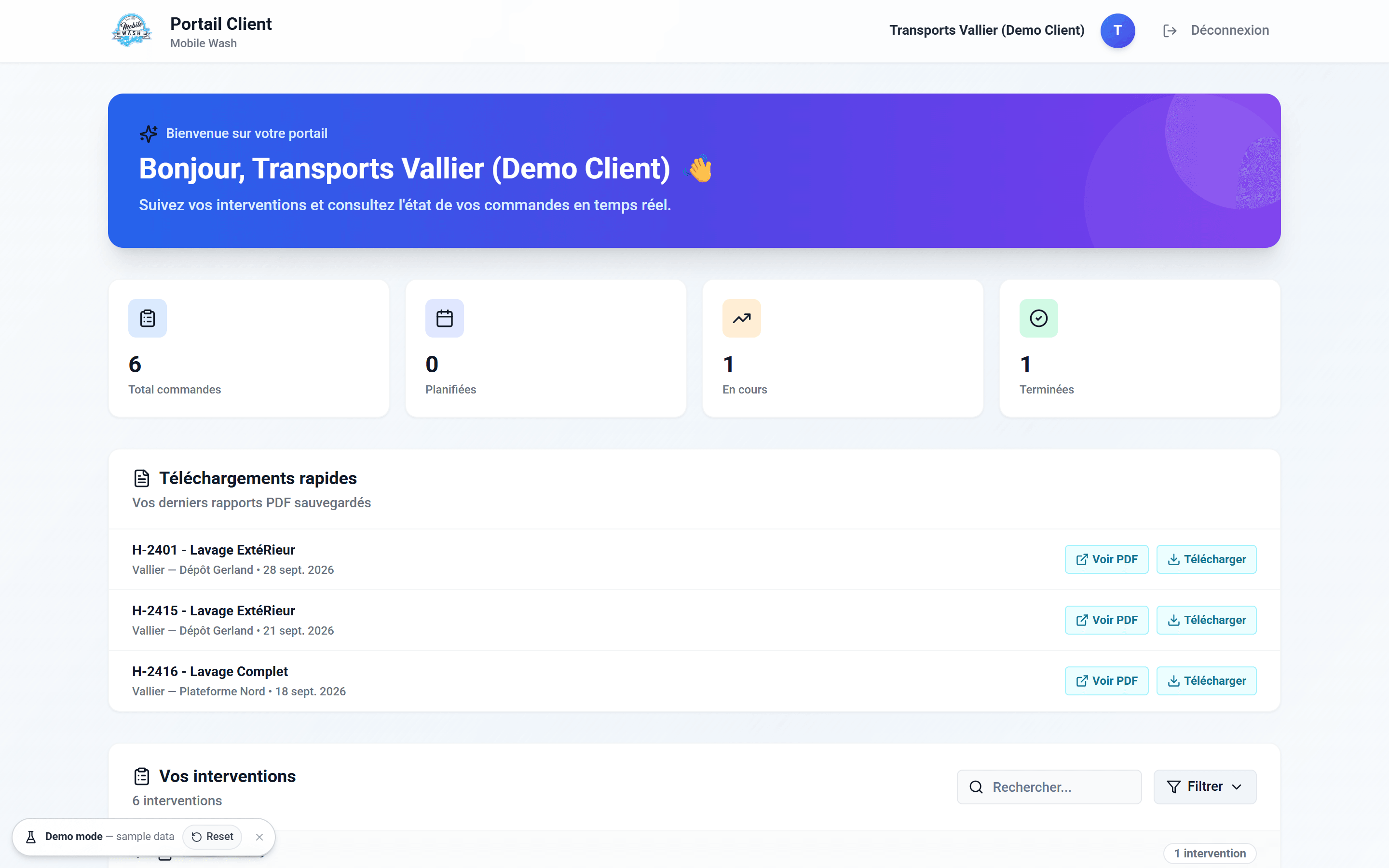
Clients sign in to a separate, restricted portal that shows only their own interventions and never anything from another customer.
What they get:
- Summary figures: total, planned, in progress and completed
- Their interventions grouped by month, with search and a status filter
- One-click view or download of the report or invoice PDF for any job
Customers can check progress and get their paperwork themselves, any time, without having to call the office.
05
Built for the phone
Technicians and managers are often on site, so the busiest screens were reworked for phone width. From tablet width upwards, each one returns to its full desktop layout.
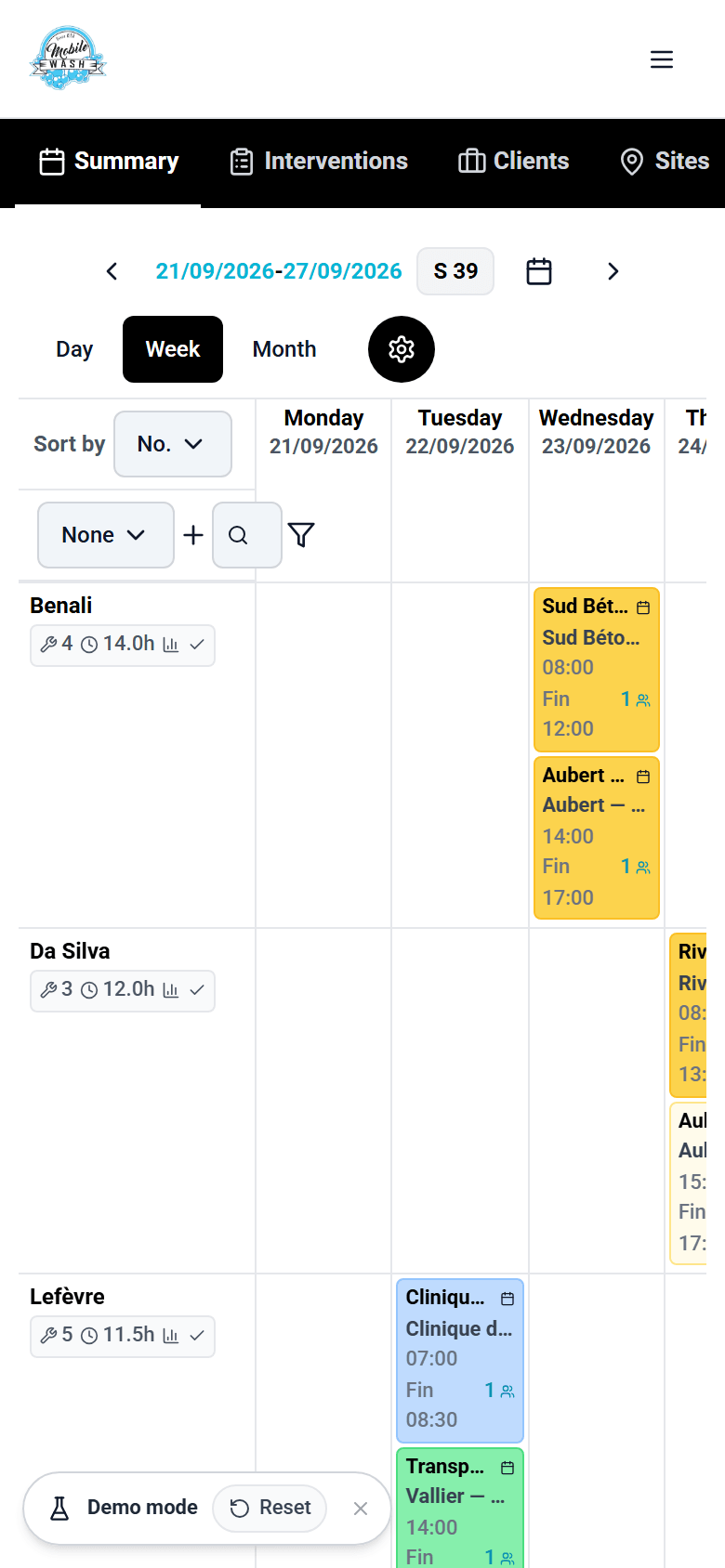
Planning board
Scrolls sideways with the technician column pinned, so you never lose track of whose row you're on.
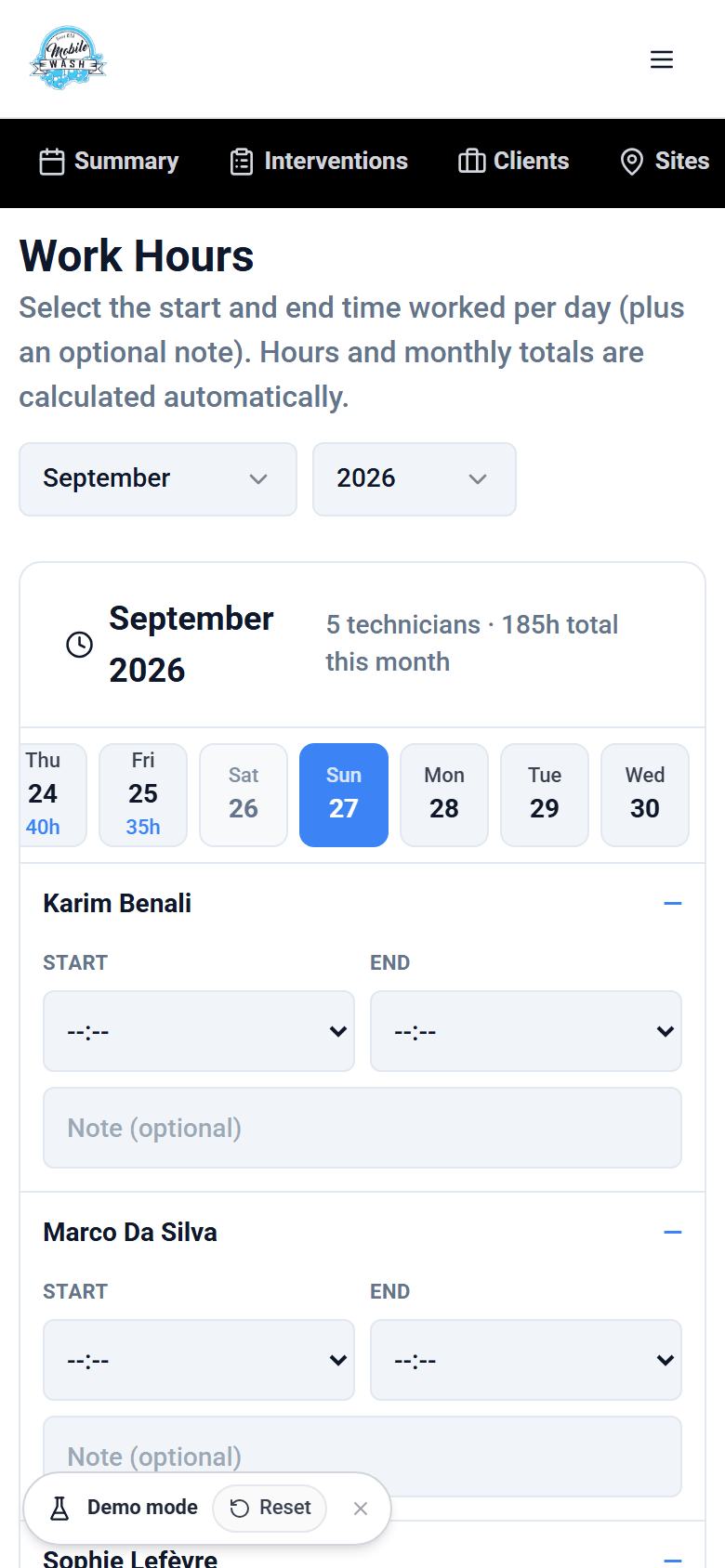
Work hours
One day at a time: a day strip on top, then each technician with full-width start and end pickers.
Vehicle records
A nine-column table becomes one labelled card per vehicle, easy to fill in with a thumb.
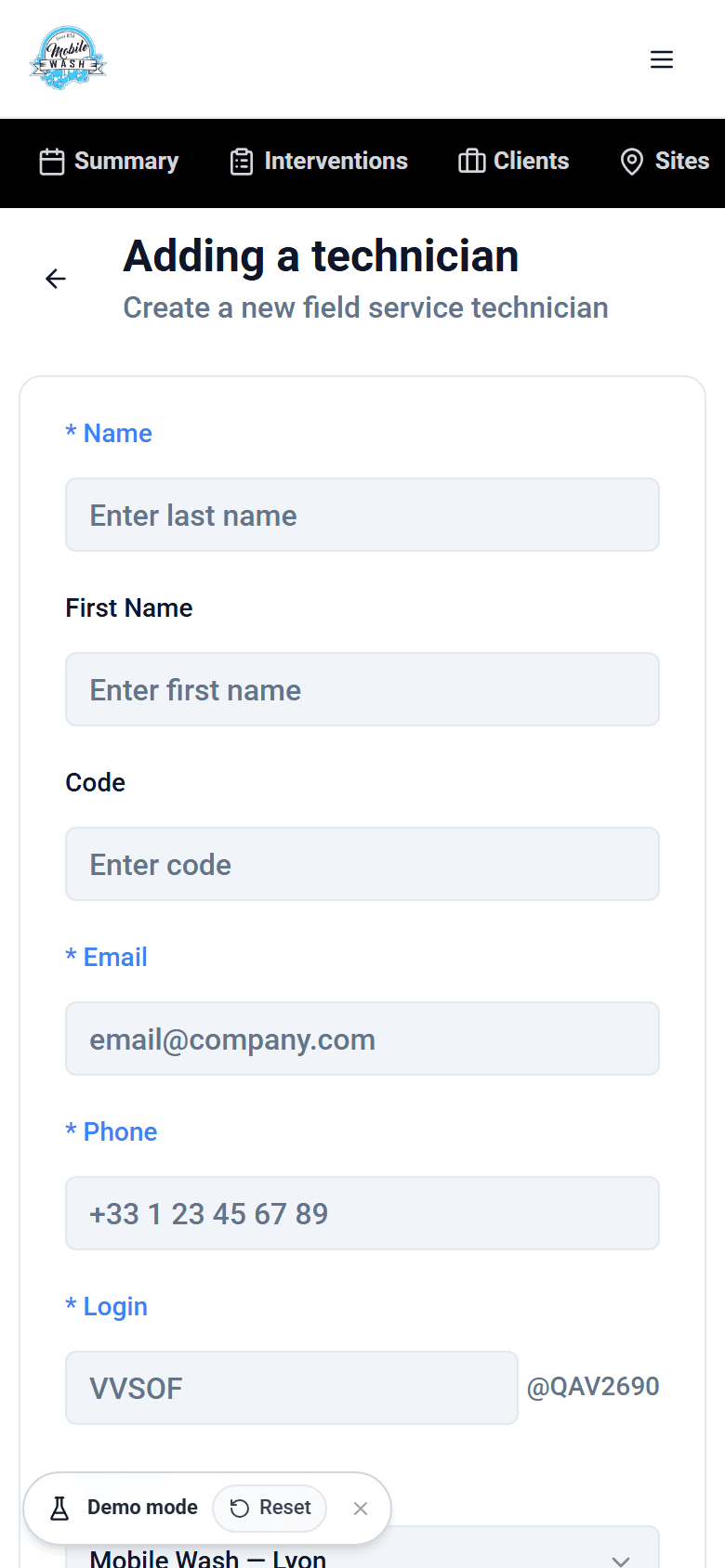
Forms
Labels sit above full-width fields, and required fields are marked clearly.
Tech stack
- React
- TypeScript
- Vite
- Tailwind CSS
- Radix UI
- TanStack Query
- React Hook Form
- Zod
- Supabase
- Cloudflare R2
- jsPDF
06
Under the Hood
How it's built:
- Front end: React and TypeScript on Vite, with Tailwind and Radix UI components, and validated forms using React Hook Form and Zod
- Data: Supabase (Postgres), reached through a shared data-service layer
- Files: photos and documents kept in private Cloudflare R2 storage and served through signed, short-lived links
- Access: sessions issued by the server, with separate views for office, technician and client roles
- Documents: intervention reports generated as PDFs in the browser
Production and demo are separate: the supplied demo replaces the live data connection with an in-browser sample-data adapter. Demo-role entry and reset controls are added for the portfolio. Emails, uploads and external services are simulated; the production architecture above is not connected to this demo.
Swipe to see more →
07
Reflection
A few ideas shaped the whole project:
- Design for where the work happens. For technicians that's a phone at a depot, not a desk.
- One source of truth. Planning, the vehicle record and the client's report all come from the same data, so they can't disagree.
- Keep access tightly scoped. Each client sees their own work and nothing else.
Client feedback
Salam Rimzan, Alhamdulillah the app & the website you created for us was so great & worth it. It was so nice to work with you in a busy schedule. Hope to work with you more in future as we talked. Thanks.
Next
More projects
- Private iOS App
Mobile Wash Technicians
The iPhone app for Mobile Wash technicians: assigned jobs, vehicle registration, service photos and work-order completion. Delivered privately to the company's staff through Apple Business Manager.
Case study →Try the demo - Sales & Service Web App
Equipment Portal
An equipment sales and service portal connecting distributor pricing, compressor sizing, engineering calculations and fault diagnosis in one role-based workspace.
Case study →Try the demo - Desktop Point of Sale
Hardware Store POS
An offline-first point-of-sale and back-office system for a hardware store — keyboard-driven billing, stock sold by the bag, metre and kilo, customer credit and seventeen owner reports.
Case study →Try the demo - AI UGC Video Ads
Trusted Health Products
Creator-style video ads for a veteran-owned US natural health brand, made with AI-generated presenters. Eight vertical spots across its OraMD oral care, ReliefMD pain relief and Earth & Elm skin care lines.
Case study → - AI Product & Campaign Imagery
Gymanimal
Product and lifestyle imagery for the Summer Essentials drop from Gymanimal, a Dutch women's activewear brand: studio shots for every product page, plus campaign scenes across three colourways.
Case study → - AI Product & Lifestyle Imagery
LXG Society
Still-life and lifestyle imagery for LXG Society, a UK premium headwear brand: caps staged with classic cars, sport and studio props, then worn in cafés, cities and on the course.
Case study →
Let's build your project
Have something in mind? Book a free call, pick a time that works for you, and I'll send over a Google Meet link.
Available for new projects
Mohomed Rimzan
Discovery Call
Consultation for web design and development. I'll review your project and answer your questions.
October 2026
Thu 8th
Your name and email are only used to arrange the call. Privacy
Step 1
Book a free call
I learn about your project, goals, and what you need. No strings attached.
Step 2
Get your proposal
Receive a scope and timeline within 24–48h. Clear pricing, no surprises.
Step 3
I build, you launch
I build in reviewed stages, then ship something that supports your goals.