Sales & Service Web App
EQUIPMENT PORTAL
Catalogue / Engineering / Administration
An equipment sales and service portal connecting distributor pricing, compressor sizing, engineering calculations and fault diagnosis in one role-based workspace.
.webp&w=3840&q=75)
Swipe to see more →
01
Equipment Sales & Service Portal
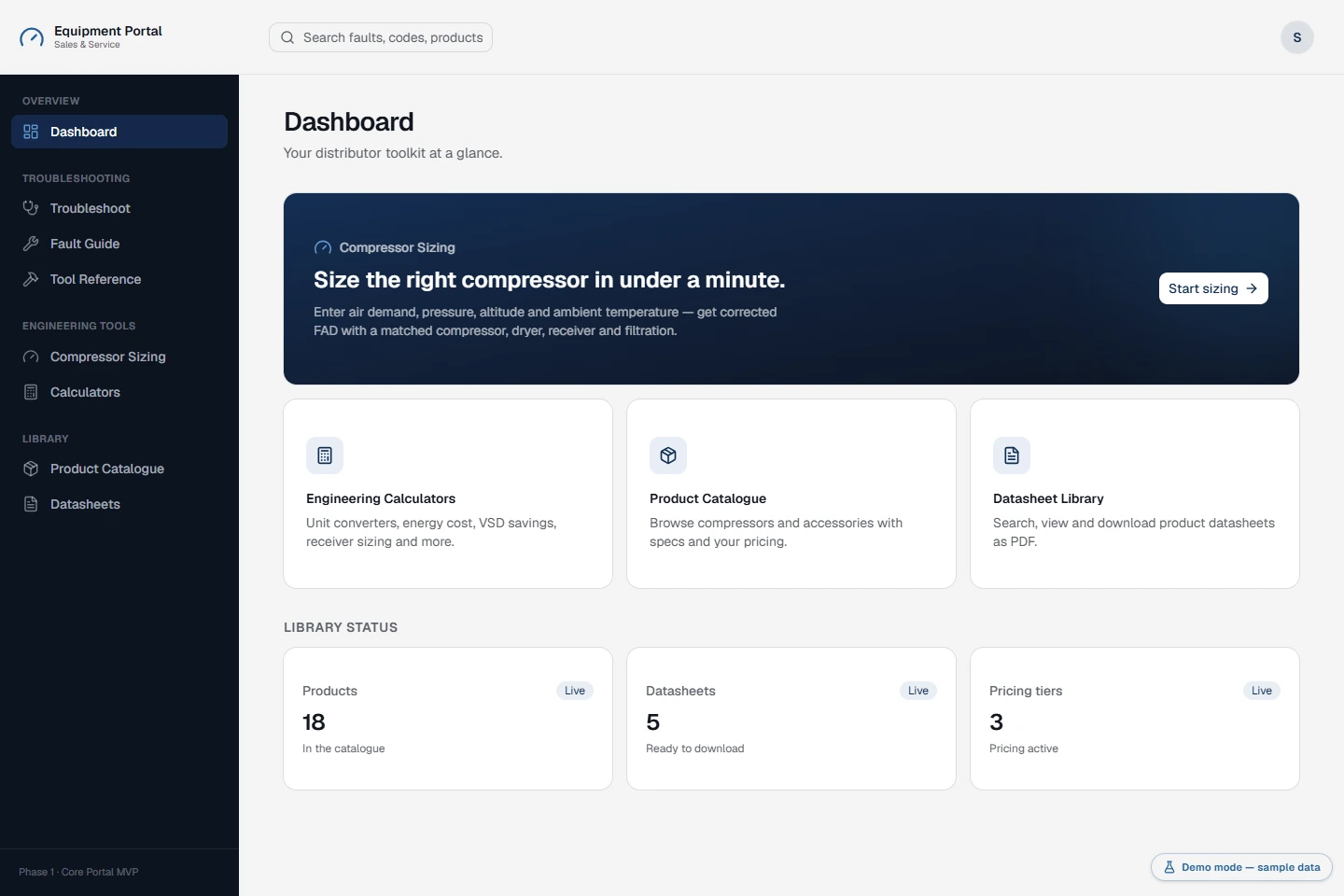
A technical sales workspace for industrial compressed-air equipment. Distributor staff need to find the right product, see their pricing, check a specification and work through a service problem without losing context.
The application brings those tasks together in a role-based portal for distributors and administrators. It supports product selection and after-sales service; checkout, payment processing and till operations are not part of this project.
This showcase uses a generic identity and fictional commercial records. Company branding and customer data are not included.
02
The complete workspace
- Products & pricing
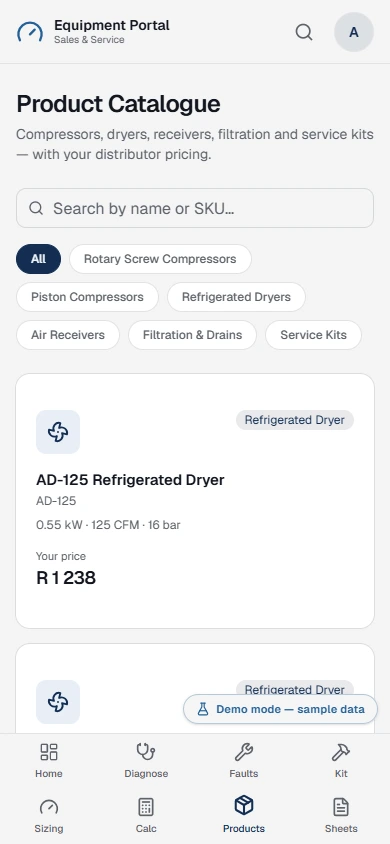
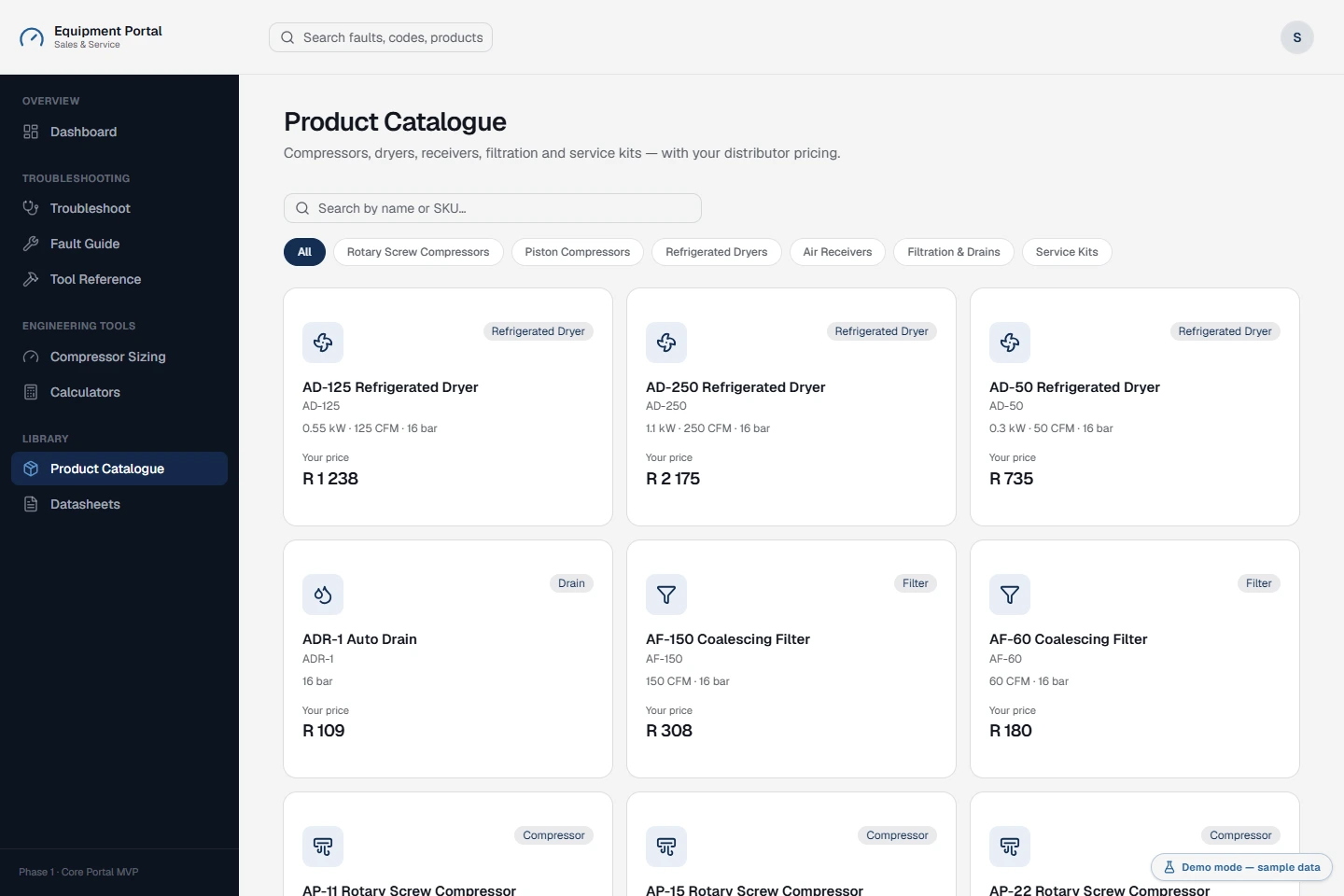
- Searchable catalogue, category filters, technical specifications, matched accessories, tier prices and distributor-specific overrides.
- Equipment selection
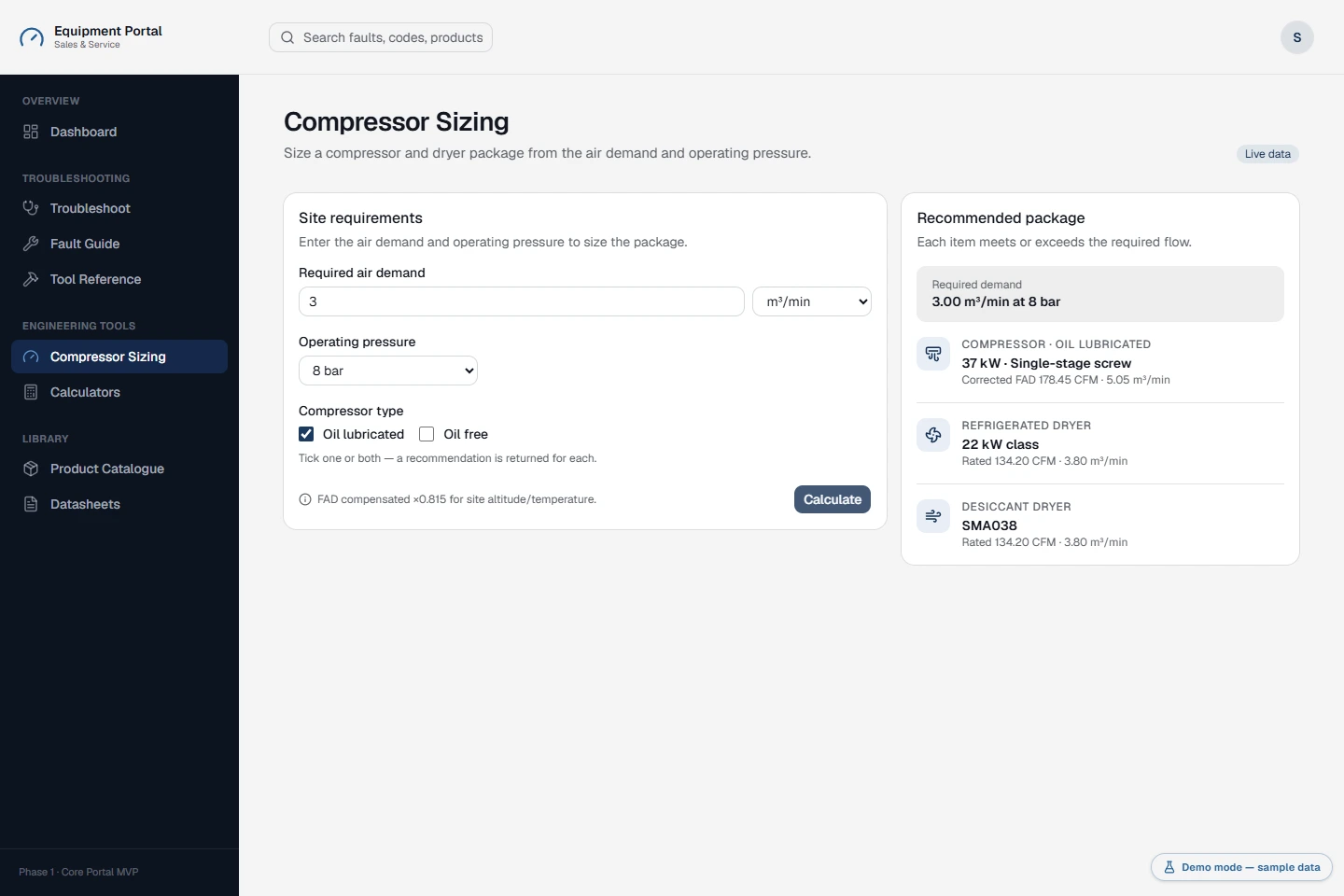
- Compressor sizing from airflow and pressure requirements, with compensation settings and matching dryer recommendations.
- Engineering
- Fourteen calculators covering pressure, flow, power, energy costs, air leaks, pressure drop, receivers, dryers and electrical sizing.
- Service support
- A searchable fault library, guided troubleshooting, model references, causes, checks, remedies and technician tools.
- Document library
- Product-linked datasheets with search and a download flow. The demo opens a clearly labelled sample-document screen.
- Administration
- Products, CSV imports, categories, pricing, distributors, user access, manufacturers, models, documents and fault-guide editing.
Live demo
Try it yourself
Choose Distributor technician or Administrator. Edits are held temporarily in server memory for your own demo session; Reset demo restores the sample records. No production accounts, payments or email services are connected.
Swipe to see more →
03
From catalogue to the right specification
- Find the equipment. Search by product details and narrow the catalogue by category.
- Compare the specification. Open the product for airflow, operating pressure, motor power, supply and additional technical details.
- See the relevant price. The pricing layer resolves distributor-specific overrides before falling back to the assigned pricing tier.
- Complete the selection. Review compatible dryers, receivers, filters, drains, service kits and linked datasheets.
Swipe to see more →
04
Engineering at the point of decision
The sizing workflow connects air demand and operating conditions to candidate equipment. The supplied sample library includes 123 compressor records and 29 dryer records, alongside a configurable airflow compensation factor.
Supporting calculations
- Unit conversions for pressure, flow and power, plus free-air-delivery conversion
- Pipe diameter, pressure drop, receiver and dryer sizing
- Energy cost, variable-speed savings, leak cost and the cost of pressure loss
- Cable and breaker sizing
These tools provide calculation outputs for review, not a substitute for equipment specifications or a qualified engineering assessment.
05
Service support in the field
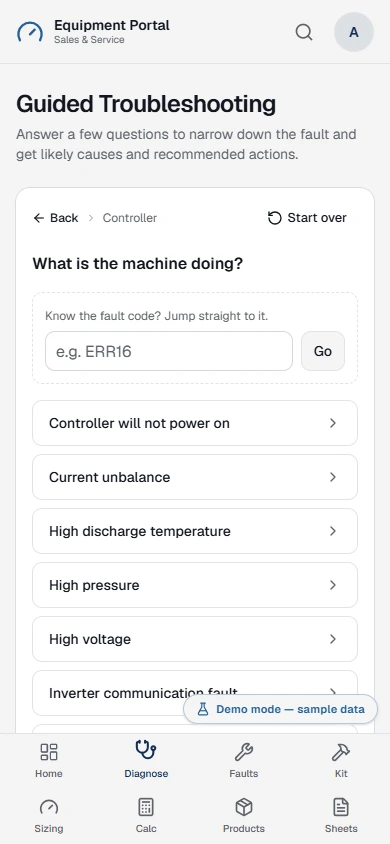
Technicians can move from a reported fault into a structured diagnostic path, with manufacturer and model context where available. The fault library contains 68 reference entries in the supplied demo.
Each entry can bring together symptoms, likely causes, checks, remedies and tool references. A separate guided troubleshooting view makes this information easier to work through on a phone.
Responsive navigation keeps the catalogue, sizing tools and service information accessible away from a desk.
Swipe to see more →
06
An operational admin workspace
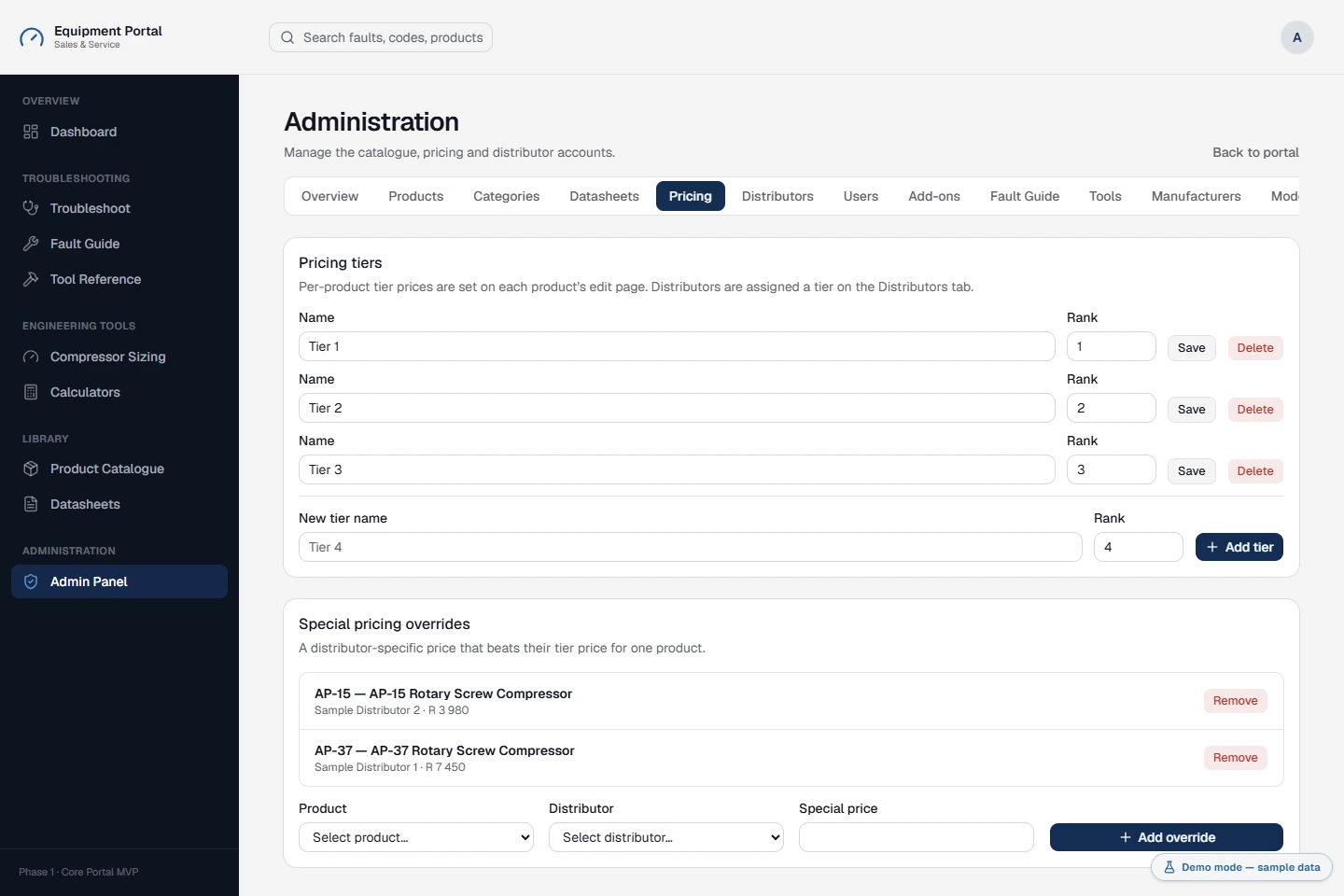
Administrator access exposes the management side of the same application. Product edits feed back into the catalogue, and pricing remains connected to the distributor records that determine what each user sees.
Management workflows
- Create and edit products, import CSV records, manage categories and associate add-ons
- Maintain tier pricing and distributor-specific price overrides
- Manage distributor and user records, active status and role-based access
- Maintain datasheets, fault guides, manufacturers, models and tool references
The public demo deliberately uses selectable roles instead of real authentication. Administrator screens retain their server-side role checks, but demo roles are not production credentials.
07
A working demo, with clear boundaries
The interface runs on Next.js, React, TypeScript, Tailwind CSS, shadcn/ui and Lucide. Server-rendered pages and server actions use a Supabase-compatible demo adapter backed by sample data rather than a live database.
A cookie identifies each visitor's temporary dataset. Product and pricing changes are visible within that session and can be reset. Server restarts and session eviction also clear changes; this is intentionally not persistent business storage.
Email invitations and recovery messages are simulated. Datasheet downloads lead to a sample-document notice, and uploaded product images are represented as temporary data URLs. The demo is a separate server application, isolated from the portfolio's styling and navigation.
- Application
- Responsive technical sales and service portal
- Access
- Distributor technician and administrator views
- Demo data
- Fictional records, per-session edits and reset
Client feedback
Thank you for doing all that. You are a superstar… I am still kicking myself for not finding you sooner. Thank you again for your dedication to this project. I am happy with the results.
 Prof. Nicola CheshireProject Manager, Wright Air Compressors · South Africa
Next
More projects
- Web App
Car Wash Mobile
A field-service platform for a mobile car wash company — a scheduling board, per-vehicle work records, and a portal where clients see their own jobs.
Case study →Try the demo - Private iOS App
Mobile Wash Technicians
The iPhone app for Mobile Wash technicians: assigned jobs, vehicle registration, service photos and work-order completion. Delivered privately to the company's staff through Apple Business Manager.
Case study →Try the demo - Desktop Point of Sale
Hardware Store POS
An offline-first point-of-sale and back-office system for a hardware store — keyboard-driven billing, stock sold by the bag, metre and kilo, customer credit and seventeen owner reports.
Case study →Try the demo - AI UGC Video Ads
Trusted Health Products
Creator-style video ads for a veteran-owned US natural health brand, made with AI-generated presenters. Eight vertical spots across its OraMD oral care, ReliefMD pain relief and Earth & Elm skin care lines.
Case study → - AI Product & Campaign Imagery
Gymanimal
Product and lifestyle imagery for the Summer Essentials drop from Gymanimal, a Dutch women's activewear brand: studio shots for every product page, plus campaign scenes across three colourways.
Case study → - AI Product & Lifestyle Imagery
LXG Society
Still-life and lifestyle imagery for LXG Society, a UK premium headwear brand: caps staged with classic cars, sport and studio props, then worn in cafés, cities and on the course.
Case study →
Let's build your project
Have something in mind? Book a free call, pick a time that works for you, and I'll send over a Google Meet link.
Available for new projects
Mohomed Rimzan
Discovery Call
Consultation for web design and development. I'll review your project and answer your questions.
October 2026
Thu 8th
Your name and email are only used to arrange the call. Privacy
Step 1
Book a free call
I learn about your project, goals, and what you need. No strings attached.
Step 2
Get your proposal
Receive a scope and timeline within 24–48h. Clear pricing, no surprises.
Step 3
I build, you launch
I build in reviewed stages, then ship something that supports your goals.